
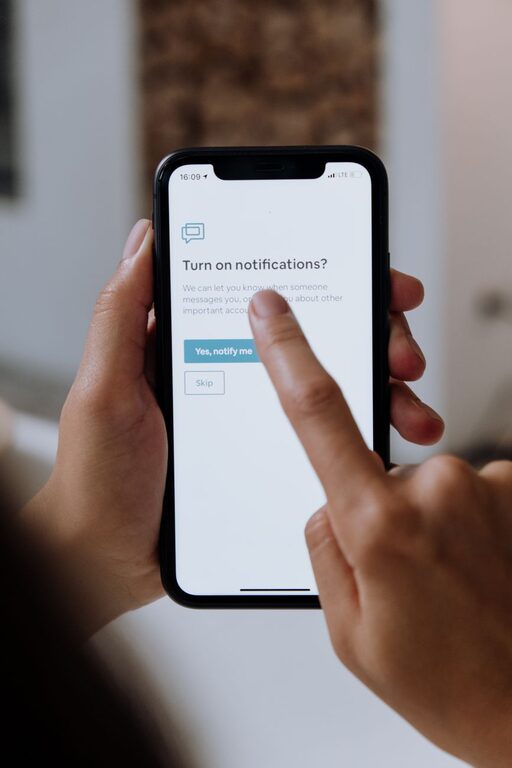
In today’s fast-paced digital world, notifications constantly compete for our attention. From social media alerts to work emails, the barrage of pings and buzzes can make it difficult to concentrate and enjoy uninterrupted moments. Setting boundaries with notifications is essential to maintain focus, reduce stress, and reclaim your time. Here are practical tips to help you manage notifications effectively.
Why Set Boundaries with Notifications?
Notifications are designed to grab your attention, but when they become overwhelming, they can hinder productivity, increase anxiety, and disrupt your daily routines. Establishing limits allows you to control when and how you receive alerts, enabling better focus and more meaningful interactions.
Assess Your Current Notification Setup
Before making changes, take a moment to review which apps and devices send you notifications. Ask yourself:
– Which notifications are truly essential?
– Which ones can wait until I check them manually?
– Are any notifications repetitive or unnecessary?
Understanding what you currently receive helps identify areas to prioritize.
Tips for Setting Notification Boundaries
1. Customize Notification Settings for Each App
Most apps allow you to adjust notification preferences. Tailor these settings to reduce distractions:
– Turn off non-essential notifications.
– Limit alerts to critical updates only.
– Use “silent” notifications that appear without sound or vibration.
Taking the time to customize this can significantly cut down on unwanted interruptions.
2. Schedule “Notification-Free” Times
Set specific times during your day when notifications are paused or silenced. For example:
– During work hours focused on deep tasks.
– While spending time with family or friends.
– Before bedtime to improve sleep quality.
You can use built-in “Do Not Disturb” modes on mobile devices or computer apps to automate these quiet periods.
3. Use Focus Modes or Priority Notifications
Many modern devices offer focus or priority modes that allow only important contacts or apps to notify you during certain periods. Enable these to ensure you’re reachable for urgent matters but shielded from less important alerts.
4. Consolidate Notifications
Instead of receiving multiple alerts throughout the day, consider batching them:
– Check emails and messages at designated times rather than instantly.
– Use summary notifications that group updates together.
This approach helps minimize constant interruptions and promotes better time management.
5. Disable Audio and Vibration for Less Important Alerts
Sounds and vibrations are powerful cues that quickly pull your attention away. For non-critical notifications, consider turning off these features. Silent alerts still notify you visually without potentially disruptive noises.
6. Manage Notifications Across All Your Devices
Notifications often come from multiple devices like smartphones, tablets, and computers. Ensure you adjust settings across all platforms to maintain consistent boundary control and avoid duplicate alerts.
7. Communicate Your Boundaries
If you work with a team or often interact with friends and family, let them know when you’re limiting notifications. Clear communication helps manage expectations and reduces pressure to respond immediately.
8. Regularly Review and Adjust Your Settings
Your needs and priorities change over time. Make it a habit to periodically review notification settings and update them to reflect your current lifestyle and responsibilities.
Tools and Features to Help You Manage Notifications
– Do Not Disturb Mode: Temporarily stops notifications during chosen hours.
– Focus Assist (Windows) / Focus Mode (macOS): Lets you manage what notifications arrive during work or personal time.
– Notification Summaries (iOS): Groups non-urgent notifications into scheduled summaries.
– Third-Party Apps: Tools like Freedom or StayFocusd block or limit distracting notifications and apps.
Benefits of Setting Notification Boundaries
By managing your notifications, you can experience:
– Improved concentration and productivity.
– Reduced stress and feeling of overwhelm.
– More meaningful engagement with people around you.
– Better sleep quality by reducing nighttime interruptions.
– Greater control over your digital life.
Final Thoughts
Setting boundaries with notifications takes intention and consistent effort, but the rewards are well worth it. By customizing alerts, scheduling quiet times, and communicating your limits, you can enjoy a healthier balance between staying informed and maintaining focus. Start small by adjusting one or two settings today, and gradually build a notification routine that supports your well-being and productivity.